Official Application “JSCO meeting”
TOP >
Official Application “JSCO meeting”
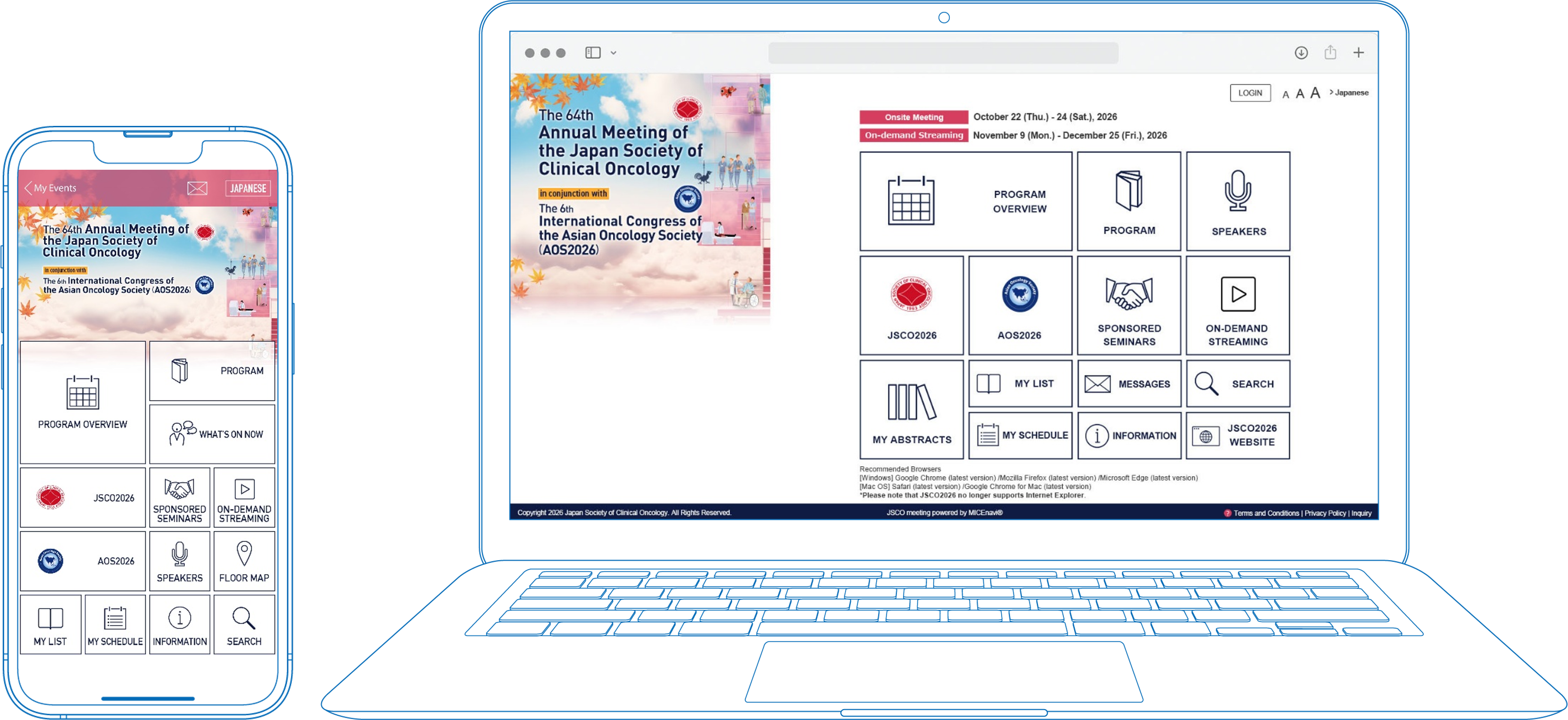
JSCO meeting allows you to overview the meeting program and create your own personal itinerary. You can include
the sessions you wish to attend and any abstracts that interest you.
Do I need a password?
A password is required to view abstracts.
Please check the following for your password:
1) Page 9 of your pocket program distributed at the venue.
2) Registered participants will receive the password from the
secretariat by email.
JSCO meeting for PC
 |
How can I download and use JSCO meeting?
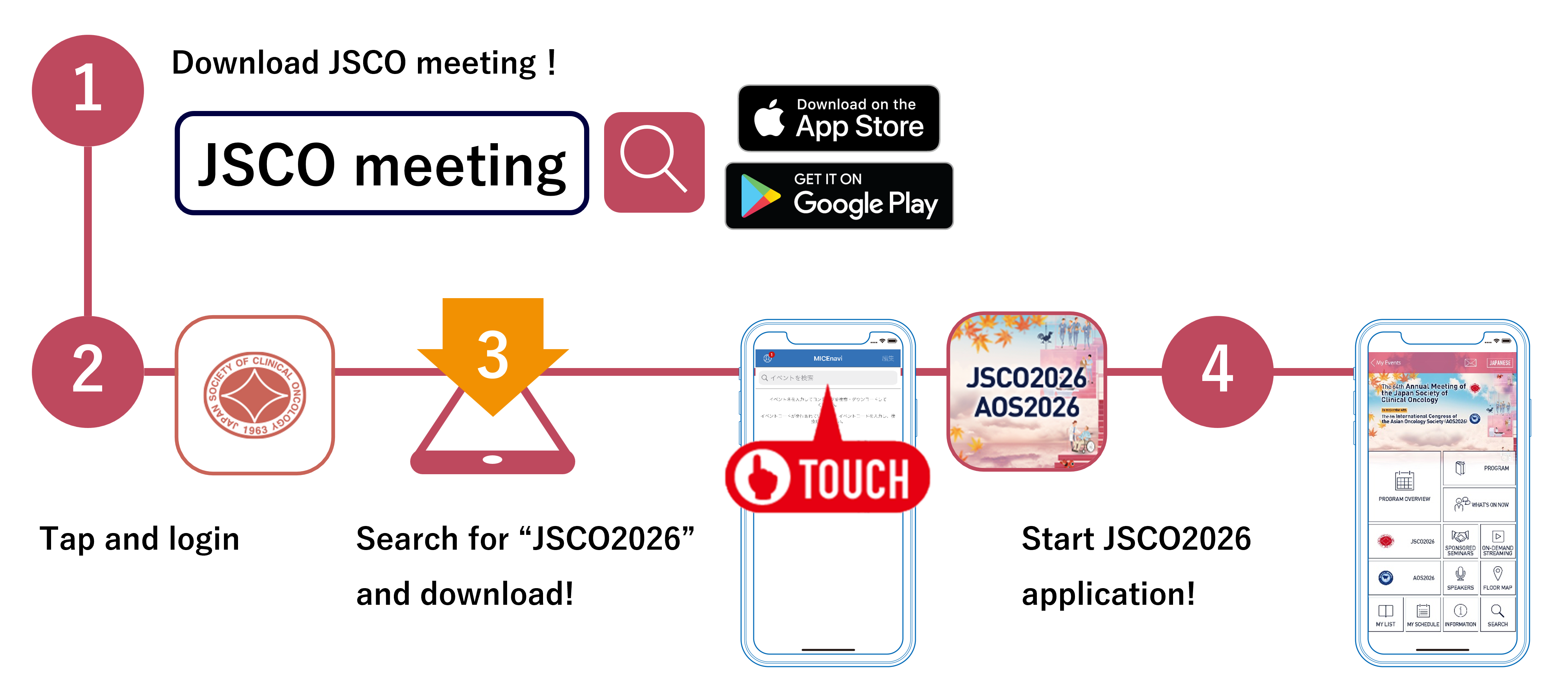
Step 1. Download “JSCO meeting” App from Apple App Store / Google Play
Go to the Apple App Store / Google Play store on your mobile device. Type “JSCO meeting” into the
search bar and “JSCO meeting” icon will appear. Please download and install the JSCO meeting app
onto your device.
Step 2. Find the jsco2026 in JSCO meeting
Search for our meeting app by typing jsco2026 into the search bar. You will see an event come up with our
jsco2026 logo. Tap on jsco2026 and download.
|
▶iPhone/iPad
  |
▶Android
  |
| Compatibility |
For iOS version 14.0 and above
For Android version 7.0 and above
|
On-demand Streaming
On-demand streaming will be partially available for designated sessions during November 9 (Mon) to December 25 (Fri).
Step 1
You will need to register and pay the registration fee to participate in jsco2026. Please proceed to the AOS2026 registration
site.
Step 2
Web Viewing ID must be entered to view videos. In addition, a password must be entered to view abstracts.
Information concerning the Web Viewing ID and the password to view abstract will be issued to you when you
registered on the AOS2026 registration site.
Recommended Browsers
| Windows |
Google Chrome(Latest version)
Mozilla Firefox(Latest version)
Microsoft Edge(Latest version)
|
| Macintosh |
Safari(Latest version)
Google Chrome for Mac(Latest version)
|
*Please note that jsco2026 no longer supports Internet Explorer.
Inquiries
Congress Secretariat
c/o Congrès Inc.
E-mail:jsco2026@congre.co.jp
MICEnavi Technical Support
MICE One Corporation
(Open on weekdays from 10:00 to 17:30)
